> For the complete documentation index, see [llms.txt](https://guides.gresb.com/llms.txt). Markdown versions of documentation pages are available by appending `.md` to page URLs; this page is available as [Markdown](https://guides.gresb.com/completingassessments/2026-real-estate-assessment/re/perf/en/en1-operational-energy/en1-outdoor-and-parking.md).
# EN1: Outdoor & Parking
## Assessment Instructions
{% hint style="info" %}
Participants must report this metric at the asset level.
GRESB automatically populates this indicator in the assessment response once participants have aggregated asset-level data from the Asset Portal.
When using the Asset Spreadsheet to upload asset-level data, GRESB recommends reviewing the instructions below in conjunction with the corresponding spreadsheet tab. The Cell Code column in the Input section indicates where to report each metric in the spreadsheet.
Clickhereto download a read-only version of the Asset Spreadsheet.
{% endhint %}
***
Input: How do I complete this metric?
{% hint style="warning" %}
**This section should not be used for stand-alone parking assets (e.g., stand-alone multiple-story parking buildings). Participants should select "Parking (indoors) as the property type in the Asset Characteristics section for standalone parking assets.**
{% endhint %}
:chart-simple:Data
:file-xls:Cell Code
:message-pen:Instructions
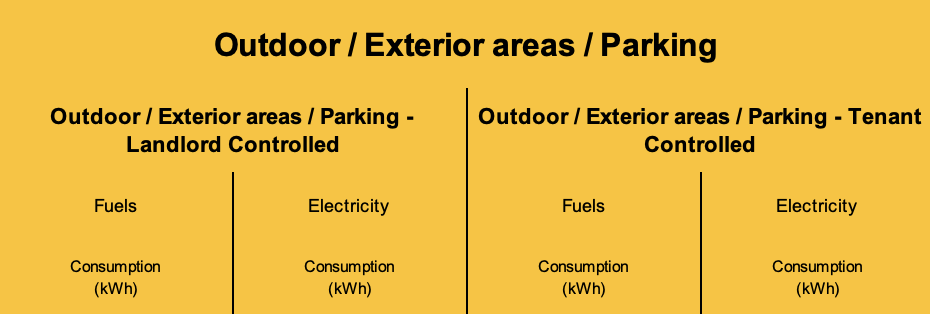
Outdoor / Exterior areas / Parking
BF4-BI4
Complete these fields if energy consumption includes outdoor/exterior areas/parking, and it is measured separately. Otherwise, the energy consumption from outdoor/exterior areas/parking areas can be included in the Base Building or Whole Building.
Example:
An office building has underground parking. If energy is sub-metered for the parking area, report the values separately in the corresponding fields. If not, include the total energy consumption under either Base Building or Whole Building, depending on the initial selection.
Validation: What evidence is required?
This indicator is subject to automatic validation. No evidence is required.\
\
Refer to the page below for guidance on how to resolve automatic validation errors and warnings.\
\ Validation Basics
***
## Scoring
{% hint style="info" %}
*Outdoor & parking influence the **like-for-like** (2.5 points total) score calculation.*
*If an asset's landlord- and/or tenant-controlled spaces are eligible for like-for-like scoring, the corresponding outdoor consumption will contribute to the total like-for-like-eligible consumption of each space.*
{% endhint %}
---
# Agent Instructions
This documentation is published with GitBook. GitBook is the documentation platform designed so that both humans and AI agents can read, navigate, and reason over technical content effectively. Learn more at gitbook.com.
## Querying This Documentation
If you need additional information that is not directly available in this page, you can query the documentation by asking a question.
Perform an HTTP GET request on the following URL with the `ask` and `goal` query parameters:
```
GET https://guides.gresb.com/completingassessments/2026-real-estate-assessment/re/perf/en/en1-operational-energy/en1-outdoor-and-parking.md?ask=&goal=
```
`ask` is the immediate question: it should be specific, self-contained, and written in natural language.
`goal` is what the user is ultimately trying to achieve, the reason they need the answer. Sharing it helps GitBook give you a better, more relevant answer. A goal is most helpful when it describes the outcome the user wants rather than restating the question. For example, with `ask=how do I create an API token`, a goal like `automate deployments from our CI pipeline` lets GitBook tailor the answer to that use case.
The response will contain a direct answer to the question and relevant excerpts and sources from the documentation.
Use this mechanism when the answer is not explicitly present in the current page, you need clarification or additional context, or you want to retrieve related documentation sections.