> For the complete documentation index, see [llms.txt](https://guides.gresb.com/llms.txt). Markdown versions of documentation pages are available by appending `.md` to page URLs; this page is available as [Markdown](https://guides.gresb.com/completingassessments/2026-real-estate-assessment/re/perf/ws/ws1-data-availability.md).
# WS1: Data Availability
## Assessment Instructions
{% hint style="info" %}
Participants must report this metric at the asset level.
GRESB automatically populates this indicator in the assessment response once participants have aggregated asset-level data from the Asset Portal.
When using the Asset Spreadsheet to upload asset-level data, GRESB recommends reviewing the instructions below in conjunction with the corresponding spreadsheet tab. The Cell Code column in the Input section indicates where to report each metric in the spreadsheet.
Clickhereto download a read-only version of the Asset Spreadsheet.
{% endhint %}
***
Input: How do I complete this metric?
:chart-simple:Data
:file-xls:Cell Code
:message-pen:Instructions
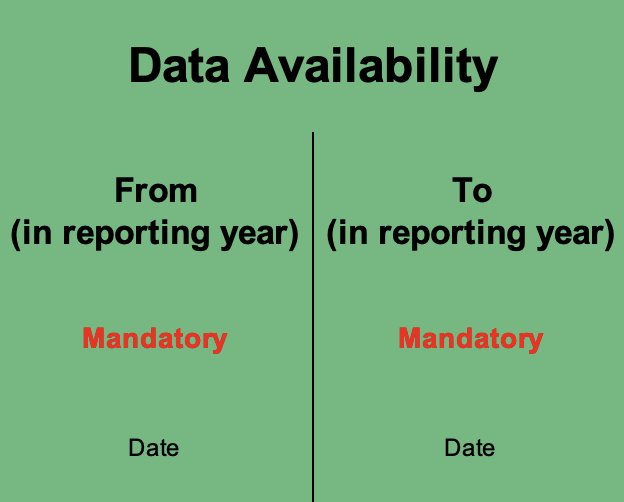
Data Availability
*Mandatory
E-F4
GRESB updated this section to provide additional clarity. For all guidance clarifications see here.
Indicate the period for which consumption data was collected. For example, if data is available only for the last six months of a calendar year (January–December), the data availability columns should reflect July–December and follow the day/month/year format. Ensure that all performance data aligns with the reporting year specified in indicator EC4 (Reporting year).
Data Availability might differ from the Ownership Period (Reporting Characteristics) in the following cases:
:house:Guidance for unit consolidation - applicable to Residential Portfolios
It is critical that values entered in the Data Availability fields represent and align with the reported performance data. If the consolidation of multiple units creates an inconsistency between the period of data availability and performance data reported, units must be reported separately.
*Note: Data availability is only mandatory when the consumption and floor area covered are known.
Validation: What evidence is required?
This indicator is subject to automatic validation. No evidence is required.\
\
Refer to the page below for guidance on how to resolve automatic validation errors and warnings.\
\ Validation Basics
## Scoring
{% hint style="info" %}
*Data availability influences the **data coverage** (2 points total) score calculation. Data availability must match an asset's ownership period for it to earn complete data coverage (time).*
{% endhint %}
## Get Support: Solution Providers
**GRESB Solution Providers** are independent, third-party organizations within the GRESB Partner network that offer specialized products, tools, and services to support sustainability performance outside the GRESB Assessment process.
The organizations below deliver commercially available solutions designed to help drive improvement for this indicator. Engagement is managed directly between the reporting entity and the Solution Provider.
GRESB will continue to update this section as the GRESB Solution Provider network grows. Please check back regularly to find GRESB Solution Providers who can support your sustainability performance.
[^1]: This was updated.
**Original text:** If participants collected data for a shorter timeframe than their asset ownership period, Data Availability will reflect only a subset of the Data Ownership period.
[^2]: This was updated.\
\
**Original text**: If participants have obtained data from before the asset's purchase date, Data Availability will reflect a longer period than Data Ownership.
[^3]: This text was newly introduced.
---
# Agent Instructions
This documentation is published with GitBook. GitBook is the documentation platform designed so that both humans and AI agents can read, navigate, and reason over technical content effectively. Learn more at gitbook.com.
## Querying This Documentation
If you need additional information that is not directly available in this page, you can query the documentation dynamically by asking a question.
Perform an HTTP GET request on the current page URL with the `ask` query parameter, and the optional `goal` query parameter:
```
GET https://guides.gresb.com/completingassessments/2026-real-estate-assessment/re/perf/ws/ws1-data-availability.md?ask=&goal=
```
`ask` is the immediate question: it should be specific, self-contained, and written in natural language.
`goal` is optional and describes the broader end goal you are ultimately trying to accomplish on behalf of the user. GitBook uses it to tailor the answer towards what is most useful for that goal.
The response will contain a direct answer to the question and relevant excerpts and sources from the documentation.
Use this mechanism when the answer is not explicitly present in the current page, you need clarification or additional context, or you want to retrieve related documentation sections.